Can You Automate Replies to Instagram Ads? What to Check Before Connecting a Tool
Instagram ad replies can mean public comments, private DMs, or click-to-message. Meta is testing keyword DMs, not public replies.
Can you automate replies to Instagram ads?
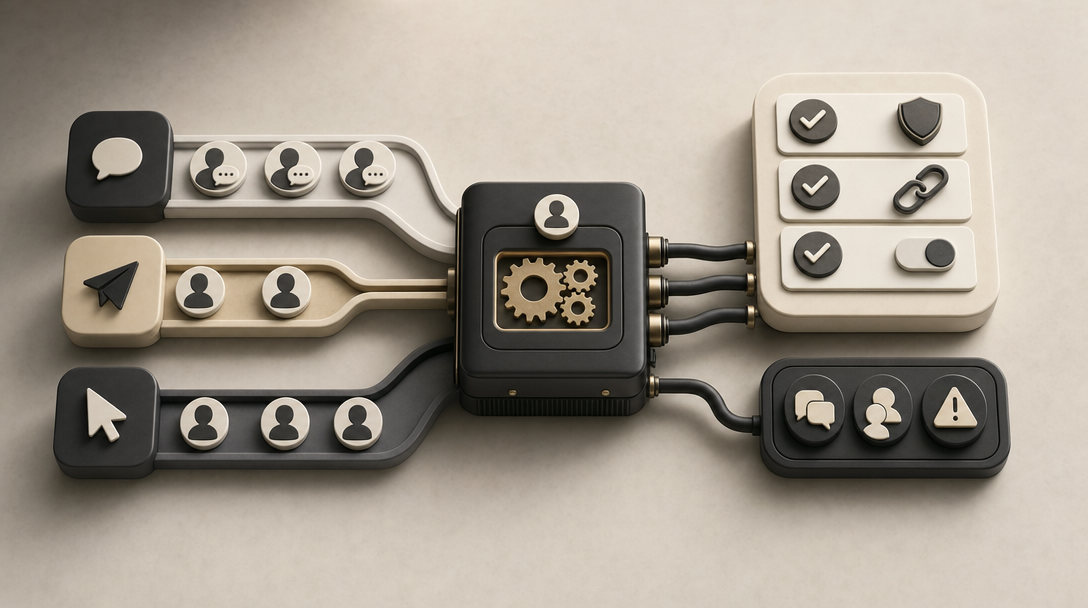
Yes, but automating replies to Instagram ads breaks into three separate jobs, not one: automatic public replies posted under the ad, comment-triggered private DMs, and click-to-message ad conversations that start before anyone comments. The reviewed sources do not show official Meta documentation confirming native public ad-comment replies, so what's actually possible depends entirely on which of these three flows you mean.
Every ad comment lands in the same place: the public thread under the ad, visible to anyone who scrolls past. What happens to it next depends on the automation layer connected to that account. The reviewed sources document Meta Business Suite automations for DMs and for comments on regular posts, while ad-specific behavior is documented tool by tool rather than by one shared Meta policy. Third-party tools that plug into Meta's ad data, like InstantDM, add ad-specific automation on top of that, but each documents its own coverage rules.
Social Media Today reported in August 2026 that Meta itself is testing a keyword-based DM feature for Instagram ad comments. That's a private-reply mechanism, not a public-comment bot, and it's the clearest signal so far that Meta is building automation around ad comments at all, even while stopping short of documented public replies.
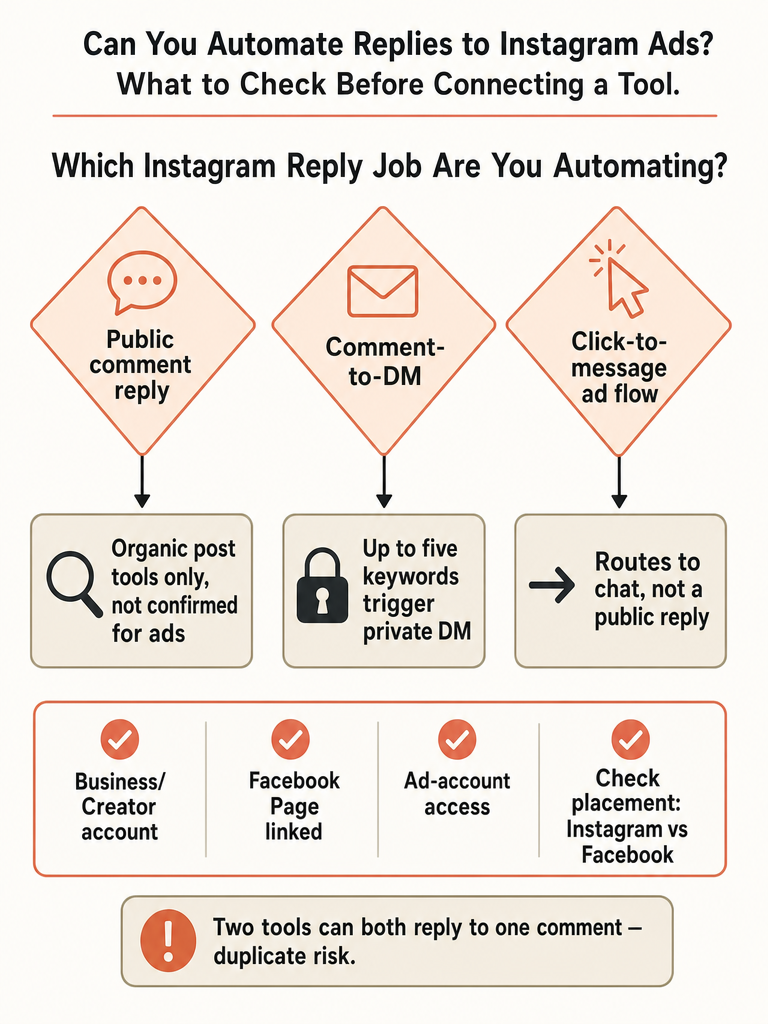
Public reply, comment-to-DM, or click-to-message: which job are you actually automating?
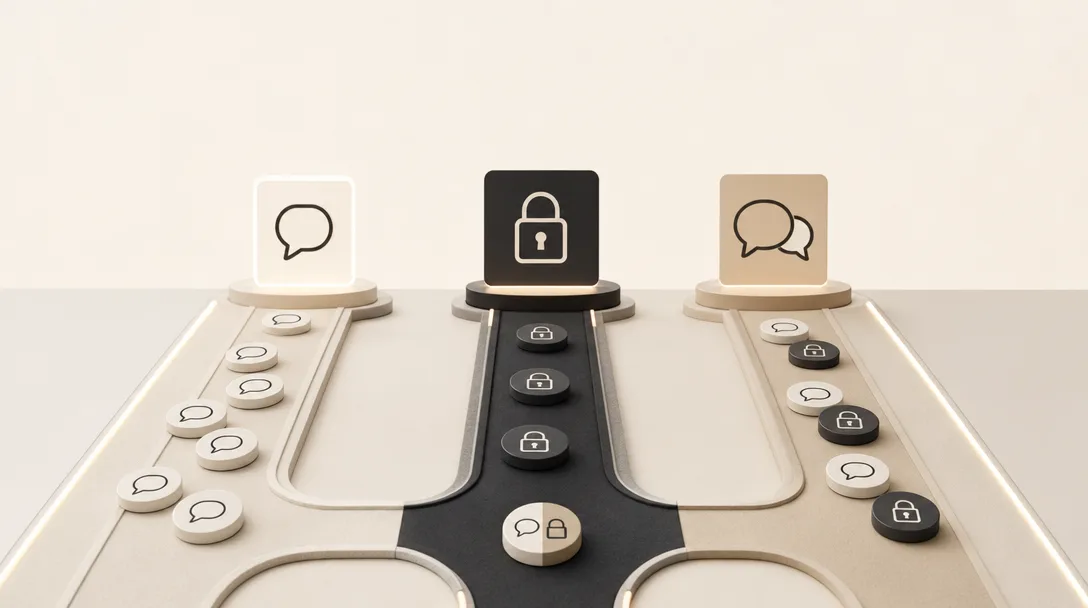
Instagram comment automation splits into three distinct jobs: a public reply visible under the post for anyone to read, a comment-to-DM flow that fires a private message when a comment matches a trigger, and a click-to-message ad that opens a DM conversation before a comment ever happens. SleekFlow's rundown of Instagram auto reply tools describes comment-to-message as sending a private message to anyone whose comment contains a set keyword or phrase, which is the same comment-to-DM model Meta is testing for ads.
The distinction matters because tools built for one job rarely do the other two. A keyword trigger watches for an exact word and fires the same scripted DM regardless of what the post shows. Context-read tools built for organic comments work differently: they read what the post's image, Reel, or caption actually says before drafting a reply, so "how much is this?" gets answered with the right product, not a generic script. That's the model behind AI comment replies vs. keyword auto-responders. ReplyMagic, for instance, reads a post's image, Reel, or caption before drafting a reply to a comment on that post, which works for organic content but is a separate job from automating replies on paid ad placements.
Mixing up these three jobs is a common point of confusion in Instagram ad automation research, since most guides use "auto reply" to mean all three at once.
What is Meta testing for Instagram ad comments right now?
Meta is testing a Reply to Keywords option that automatically sends a private DM when someone comments a chosen keyword on a promoted Instagram post, according to a report Social Media Today published on August 25, 2026. The feature lets advertisers select up to five keywords per ad, each capable of triggering its own auto-DM when a commenter types it under the ad.
This is a private-DM feature, not confirmed public-reply automation. The report describes a message sent to the individual commenter, not a reply posted into the public thread for other readers to see. The reviewed sources do not show official Meta documentation confirming whether, or how, public comment replies on ads can be automated natively; that gap is exactly why third-party tools built on Meta's ad data have stepped in to fill it, each with its own documented rules rather than a shared, Meta-wide standard.
Do boosted posts or Facebook-placement comments support ad comment automation?
Boosted-post support is tool-specific, not a universal Instagram rule. InstantDM's documentation says its public comment-to-DM automation covers boosted posts and dark posts (ads created only in Meta Ads Manager that never appear on the advertiser's profile), as long as the ad runs on Instagram.
| Ad type or placement | InstantDM's documented behavior (public comment-to-DM) |
|---|---|
| Boosted posts | Automated through the original post's existing automation |
| Dark posts (Ads-Manager-only) | Automated, listed separately in the tool's ad list |
| Facebook-placement comments on the same ad | Never automated, even when the ad also runs on Instagram |
| Multiple creative versions of one ad | Matched back to a single automation |
That table covers one job: a public reply plus a DM triggered by a comment. A different job shows up in another Meta-connected automation tool's help documentation, which describes an Instagram Ads trigger for click-to-message automation, the kind that opens a DM conversation when someone clicks the ad itself rather than when they leave a comment. That documentation states the trigger is not compatible with boosted posts and is available only for Traffic, Engagement, and Sales campaign objectives, with the first message required to go out inside a 24-hour window.
Those two systems aren't directly comparable. A tool's click-to-message automation being incompatible with boosted posts says nothing about whether its (or anyone else's) comment-to-DM automation handles boosted posts the same way. Public detail on exact Meta policy language governing ad comment automation is limited as of this writing; check a tool's documentation for the specific job you want, not just its general "works with ads" claim.
What do you need before connecting an Instagram ad automation tool?
Connecting an Instagram ad comment automation tool depends on a few account-level prerequisites being in place first. The first applies to Instagram automation generally: a Business or Creator account, since personal profiles can't be connected to ad data at all. The remaining three are specific to ad automation and come from InstantDM's own setup documentation. Miss one and a tool typically shows an empty ad list rather than an error explaining why.
- An Instagram Business or Creator account. Personal accounts can't be connected to ad data.
- Facebook Login or Page linkage. InstantDM's documentation states the ad list stays empty without this connection, since Instagram-only authorization doesn't expose ad data.
- Facebook account access to the ad account. The Facebook account doing the connecting needs access to the relevant ad account inside Meta Business Manager or Ads Manager, not just to the Instagram profile.
- Confirmation that the ad runs on the Instagram placement. InstantDM flags ads as "Not on Instagram" when they run only on Facebook; those ads can't be selected for Instagram ad comment automation even once everything else is connected.
These four checks are specific to ad automation. Comment automation on regular, unpaid posts uses a simpler connection flow with fewer moving parts.
Can two automation tools reply to the same Instagram comment?
Yes. Two separate automation layers can both respond to the same Instagram ad comment if both are switched on at once. SleekFlow's guide to Instagram auto reply warns that when a third-party tool is handling replies, businesses should check Meta Business Suite's own automation settings, because the Suite and the connected tool can both fire on the same message.
Duplicate replies aren't limited to competing tools stepping on each other. InstantDM's own documentation says a person who comments twice on the same ad gets the automated DM twice, since there's no once-per-person limit built into the flow. The same system matches multiple creative versions of one ad, different images or text testing the same campaign, back to a single automation, so swapping the creative doesn't reset the trigger or stop a repeat commenter from getting answered again.
What should stay manual when replying to Instagram ad comments?
Price, availability, booking, and policy answers deserve a human check before they go out on an ad comment, because a vague question under a paid post carries more risk than the same question on an organic photo. A commenter asking "is this still $40?" under a boosted post is one wrong digit away from a refund dispute, and ad traffic skews toward people who haven't seen the brand's voice or past replies before, so there's less context for an automated system to lean on.
AI-drafted replies can misstate a price, a size, or an availability detail, particularly when the comment itself is vague about which product or offer it's asking about. The safer default for ad traffic is a review-first workflow: draft the reply, hold it for a human to check the number, then send. For anything that needs an order ID, an account number, or a specific date, moving the conversation to DM instead of answering it in a public ad comment thread also keeps personal details out of a thread anyone can screenshot.
How to check compatibility before you connect any tool
Before connecting any tool to automate Instagram ad comments, run six checks: account connection method, ad placement coverage, campaign-objective restrictions, keyword or reply limits, plan tier gating, and duplicate-reply risk. Skipping any one of these is how a tool gets connected, finds no ads to automate, or fires a reply nobody approved.
- Connection method. Confirm whether the tool needs Facebook Login/Page linkage (required for ad visibility, per InstantDM) or a simpler Instagram-only connection.
- Placement coverage. Ask explicitly whether boosted posts, Ads-Manager-only dark posts, and Facebook-placement comments on the same ad are each covered, since the sources above disagree on boosted posts specifically.
- Campaign-objective restrictions. Some ad triggers only work on specific objectives, such as the Traffic, Engagement, and Sales campaigns documented by one Meta-connected tool; a Lead Gen or Awareness campaign may not qualify for that particular flow.
- Keyword or reply limits. Meta's own tested ad feature caps keyword triggers at five per ad; third-party tools may set their own limits on top of that.
- Plan tier gating. InstantDM restricts ad comment automation to its Trendsetter plan and above; confirm whether the feature you need is behind a similar paywall before setup.
- Duplicate-reply risk. Check whether Meta Business Suite's native automations are also active on the same account, and whether the tool has a once-per-person limit for repeat commenters.
Tools built for organic post comments, replying to comments on regular photos and Reels rather than paid placements, sit outside this checklist entirely. That's a related but separate automation job, with its own connection flow and its own set of rules to check.
Frequently asked questions
What's the difference between an Instagram comment auto-reply and a comment-to-DM automation?
A public auto-reply posts a visible response under the ad for anyone scrolling past to read, while comment-to-DM sends a private message to the commenter instead, usually fired when their comment matches a set keyword. SleekFlow's 2026 guide describes comment-to-message as a private DM triggered by a keyword in the comment, the same model Meta is testing for ad comments. Tools built for one job rarely handle the other.
Can you automate a DM when someone comments a specific keyword on an Instagram ad?
Yes, Meta is testing a Reply to Keywords feature that sends an automatic private DM when someone comments a chosen keyword on a promoted Instagram post, according to a Social Media Today report published August 25, 2026. Advertisers can select up to five keywords per ad, each triggering its own DM. The feature sends a private message to that commenter, not a public reply posted in the thread.
Does Instagram ad comment automation work on boosted posts?
Boosted-post support depends on the tool, not a universal Instagram rule. InstantDM's documentation says its comment-to-DM automation covers boosted posts through the original post's existing automation and also handles dark posts created only in Ads Manager, as long as the ad runs on Instagram. Comments on the Facebook placement of that same ad are never automated, even when the ad also appears on Instagram.
Will the same person get a duplicate automated reply if they comment twice on an Instagram ad?
Yes. InstantDM's documentation states a commenter who posts twice on the same ad receives the automated DM twice, since the flow has no once-per-person limit built in. The same system matches multiple creative versions of one ad, different images or text testing the same campaign, back to a single automation, so changing the creative doesn't reset the trigger or stop a repeat commenter from getting answered again.
Does ReplyMagic automate replies on Instagram ad comments?
No, not for paid ad placements. ReplyMagic uses Google Gemini to read a post's image, Reel, or caption before drafting a reply to comments on organic posts, so a product question gets answered with the right details instead of a generic script. That context-read model works for regular feed and Reel content, but automating replies on ad comments is a separate job with its own connection requirements.
What plan tier do you need to unlock Instagram ad comment automation on InstantDM?
InstantDM restricts ad comment automation to its Trendsetter plan and above, so a lower tier won't expose the ad-specific automation options even once the account is properly connected through Facebook Login. Confirm plan-tier access before assuming a connection problem when a tool shows an empty ad list, since the cause is often the plan rather than the setup itself.