Instagram Comment Automation Rules: What Meta Allows
Instagram comment automation runs through Meta APIs on a professional account, with 1 private reply per commenter and a 7-day window.
What does Meta allow for Instagram comment automation?
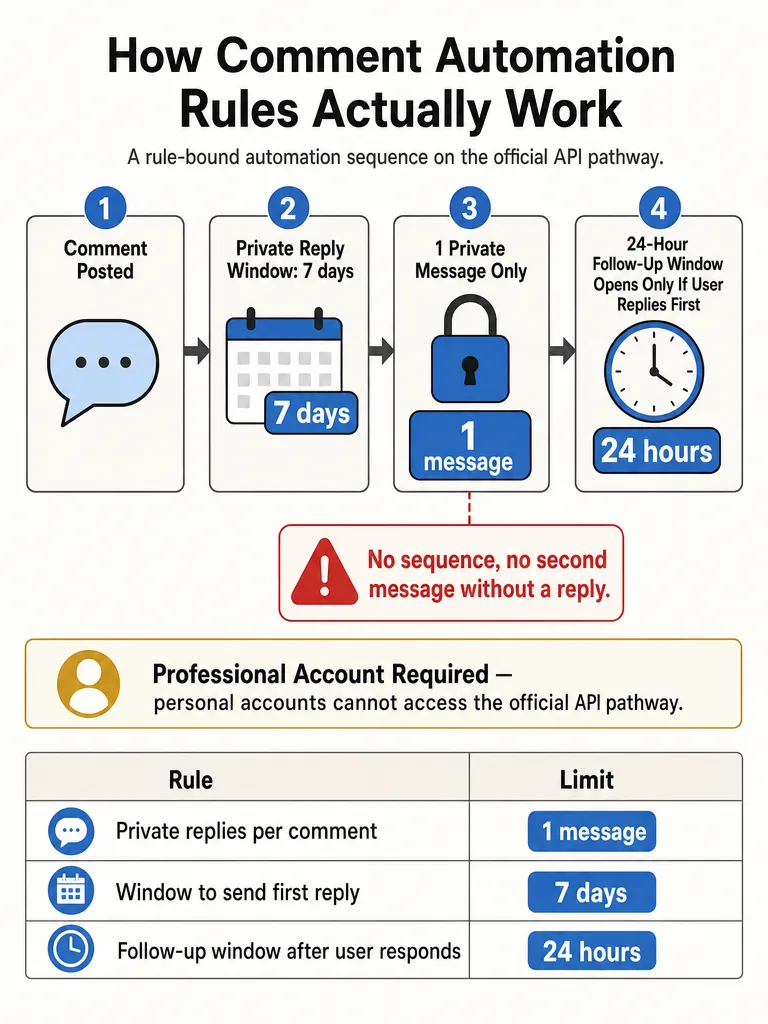
Compliant Instagram comment automation runs through Meta's official APIs on an Instagram professional account, and it splits into three separate lanes: public replies, private comment-triggered replies, and follow-up DMs. Each lane has its own limit. Meta's private replies documentation lets an app send a private reply after a user comments on a post, reel, story, Live, or ad post, capped at 1 message per commenter and sent within 7 days.
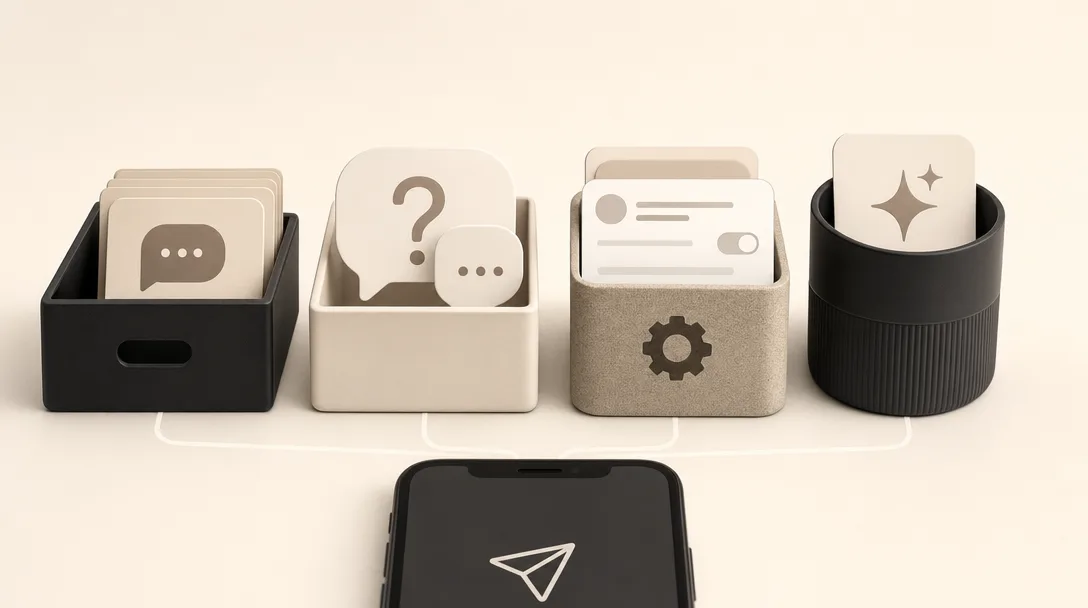
Most guides you'll find collapse these lanes into one. That's where setups quietly break. The public comment reply, the thing a follower actually sees under your post, is a different action from the private DM Meta lets you fire after a comment. Then there's the follow-up message, a third thing entirely, and it only unlocks if the person answers you.
The safe version of all this depends on one non-negotiable: you're using Meta-approved access, not a scraper or a password-sharing hack. Manychat's rundown of DM automation rules puts it simply: automation must be sent through Meta-approved tools and APIs, or your account can get flagged, shadowbanned, and eventually suspended.
Instagram comment automation is the practice of using approved software to detect new comments and respond, either with a visible public reply or a rules-bound private message.
Can you automatically reply to Instagram comments and send a DM?
Yes to both, but they're governed differently, and the corpus is clearer on the DM side than the public side. Meta's private replies documentation explicitly supports firing a single private message to someone who commented on a post, reel, story, Live, or ad. The public auto-reply, the answer that shows under the post itself, is described mostly by third-party tools rather than a primary Meta policy page in this corpus.
Here's the split that matters:
- Private reply (comment-to-DM): Meta's documentation allows one message to the commenter, sent within 7 days. This is the well-documented pathway.
- Public reply: answering visibly under the comment. Widely done by approved tools, but primary-source coverage on automated public replies specifically is thin in the material available here.
CommuniPass notes that Meta officially supports comment-triggered DM automation through its Messenger API for Instagram, which has been stable since 2023. That's the private-reply lane.
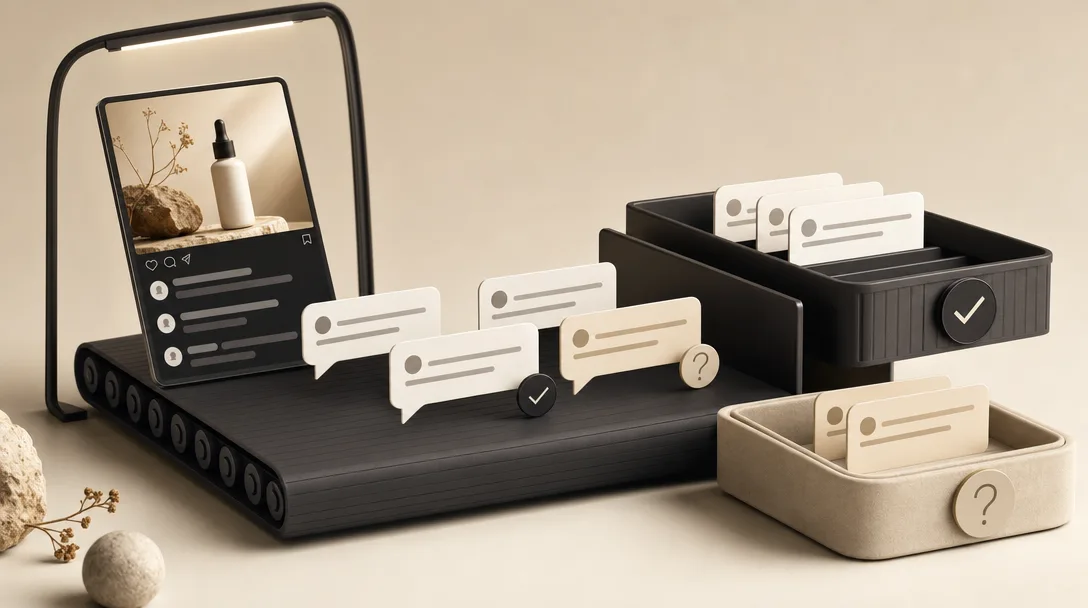
The practical read: public replies are the natural home for repeat questions like price, sizing, availability, and booking, because the answer helps everyone scrolling the thread. Private replies suit anything that shouldn't sit in the open.
How many private replies can you send to an Instagram commenter?
One. Meta's private replies documentation allows exactly 1 message to the person who commented. A comment is not a blank check for a DM sequence.
This is where a lot of "comment funnel" thinking goes wrong. Someone typing a keyword under your Reel gives you permission for a single private reply, not an open channel. If you want to send more, the rule is strict: additional messages are only allowed if the recipient responds to that first message.
So the sequence looks like this:
- A follower comments on your post.
- You send one private reply (within the 7-day window).
- If they reply back, and only then, a follow-up window opens.
Storrito's DM automation guide frames the healthy version well: the automation carries the logistics, the link or the code someone asked for, then hands the actual conversation back to a person. The tools worth using "just answer the people who already raised their hand."
How long do you have to send an automated DM after someone comments on Instagram?
Seven days, for comments on posts and reels. Meta's private replies documentation states a private reply must be sent within 7 days of the comment being created. Miss that window and the private-reply pathway closes for that comment.
That 7-day rule is the piece most SERP guides skip. They lead with the 24-hour messaging window, which is real but applies to a different moment (more on that below). For a normal post or Reel comment, your first clock is 7 days, not 24 hours.
Instagram Live is the exception, and it's much tighter. Meta's docs say private replies to Live comments can only be sent during the live broadcast. Once the stream ends, that door shuts. No 7-day grace period.
| Comment surface | Private-reply send window |
|---|---|
| Post comment | Within 7 days of the comment |
| Reel comment | Within 7 days of the comment |
| Story reply | Governed by Meta's private-reply rules |
| Instagram Live comment | Only during the live broadcast |
The takeaway for launch planning: if you're relying on comment-triggered DMs during a live stream, they have to fire in real time. For everything else, you have a week, but speed still wins because a reply that lands in seconds feels like attentiveness, not automation.
When does the 24-hour messaging window apply after an Instagram comment?
The 24-hour window opens only after the commenter responds to your private reply, not from the original comment. Meta's private replies documentation is explicit: follow-up messages are only allowed if the recipient responds, and those follow-ups must be sent within the 24-hour messaging window.
This is the single biggest source of confusion in current search results. Manychat's DM automation rules describe the 24-hour window as opening after a "qualifying user interaction," and a Reddit thread paraphrased in the research even says Meta "only lets you automate replies for 24hrs after the user's last message." Both are correct about DMs generally. Neither captures the comment-specific stack.
Here's the actual order of operations for a comment:
- Someone comments. You get up to 7 days to send one private reply.
- They respond to that private reply. Now the 24-hour messaging window opens.
- Inside those 24 hours, you can send follow-up messages. After it closes, you need a fresh qualifying interaction.
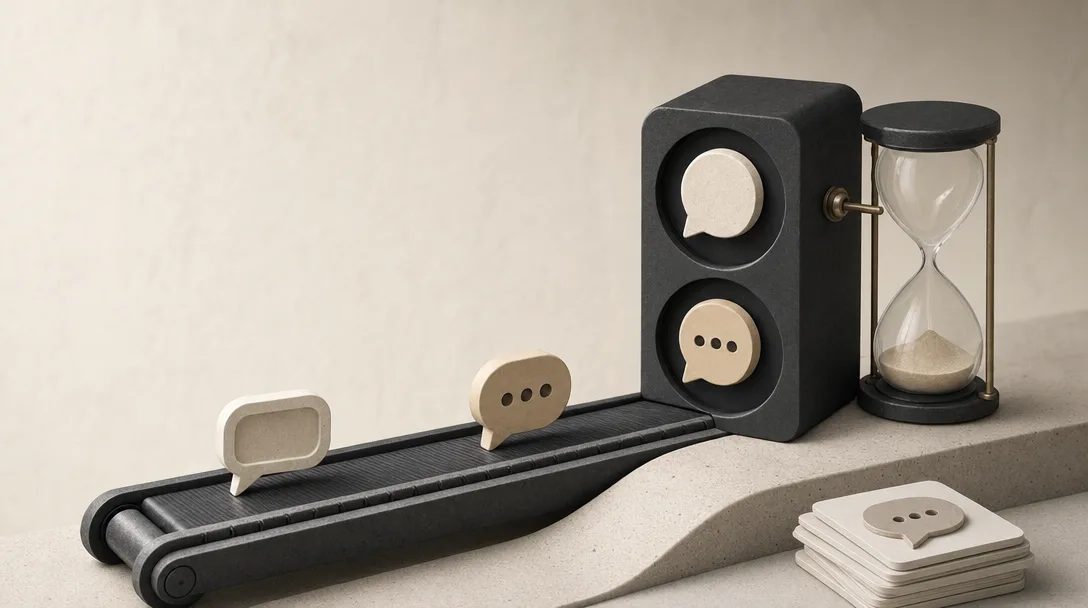
So the comment alone never creates an open-ended DM sequence. The 24-hour clock is a second-stage thing, gated behind an actual back-and-forth.
A comment buys you one private reply within 7 days; the 24-hour follow-up window only unlocks after the person writes back.
Do you need a Business or Creator account for Instagram comment automation?
Yes. Every compliant automation pathway runs on an Instagram professional account, meaning Business or Creator. A personal account can't send automated messages of any kind. ChatMaxima's auto reply guide states it plainly: "A personal account cannot send automated messages of any kind."
Switching takes about a minute in Settings under "Account type and tools." ChatMaxima's guidance: choose Business if you sell something, Creator if you're a personal brand, and lean toward Business if you plan to use comment-to-DM or any third-party platform.
What the corpus doesn't settle is whether Creator and Business accounts have identical access to every single comment-automation pathway in Meta's current docs. That's a real gap. If a specific feature matters to your workflow, check Meta's own developer docs before committing, because the professional-account requirement is clear but the Creator-versus-Business feature parity isn't fully documented in the sources here.
The practical rule: get on a professional account first, then connect an approved tool.
What is the difference between Instagram comment automation and DM automation?
Comment automation and DM automation answer people at different stages, through different rules, and blurring them is where most setups break. Comment automation responds to public comments on your posts. DM automation runs inside the inbox. The comment-to-DM bridge is its own third thing, governed by Meta's private-reply limits: 1 message, 7 days, then a 24-hour follow-up window only if they reply, per Meta's private replies documentation.
| Approach | What it does | Key limit |
|---|---|---|
| Public comment reply | Answers visibly under the post | Repeat questions, everyone in the thread sees it |
| Comment-to-DM (private reply) | One private message triggered by a comment | 1 message, within 7 days |
| Broader DM automation | Sequences inside the inbox | Follow-ups only after the user responds, within 24 hours |
| Native Meta tools | FAQs, Instant Reply, Away Message in Meta Business Suite | ChatMaxima notes the native FAQ feature is capped at 4 questions |
ChatMaxima describes the native lane as free and fast but hard-capped: FAQs, Instant Reply, Away Message, Saved Replies, "hard limits, no logic." Businesses outgrow those quickly.
The distinction that matters for a public thread: a comment section is where scrolling followers see your answer, so one good reply serves everyone reading it. A DM is one-to-one and private. Anything sensitive, like a booking detail or a health-adjacent query, belongs there rather than in the open, which is why a "DM me" redirect often beats trying to answer everything publicly.
Get started with ReplyMagic: Get started with ReplyMagic.
How do you know if an Instagram automation tool is Meta-approved?
A Meta-approved tool logs you in through Meta's official permissions flow and never asks for your Instagram password directly. Manychat's rules rundown says automation must be sent through Meta-approved tools and APIs, and tools that ask for credentials or promise to bypass Meta's limits are a red flag.
Run through this checklist before connecting anything:
- Official login only. You authorize through Meta/Instagram OAuth, not by handing over your username and password.
- No password sharing. If a tool wants your actual login credentials, walk away.
- No scraping. It reads and writes through the Instagram Graph API or Messenger API for Instagram, not by imitating a browser.
- No bypass promises. Any tool claiming to skip Meta's messaging windows or guarantee unlimited sends is describing rule-breaking.
- No manufactured engagement. Storrito's guide draws the line clearly: auto-follow, auto-like, and "guaranteed followers" tools "manufacture engagement rather than respond to it" and can get an account restricted. Approved tools only answer people who acted first.
What changes for Instagram Live comments?
Instagram Live comments have a stricter timing rule than any other surface: private replies must be sent during the live broadcast. Meta's private replies documentation carves this out as the exception to the 7-day window that covers post and Reel comments. Once the stream ends, the private-reply pathway for those Live comments closes.
That's the edge case most guides skip entirely. For a normal post, you have a week. For a Reel, a week. For Live, you have only the runtime of the broadcast itself.
The planning implication: if you're running a live launch or Q&A and expect comment-triggered follow-ups, the automation has to fire in real time, while you're still on air. Batching them for later isn't an option Meta allows here. On Live, speed is the entire rule.
On Instagram Live, a private reply is a during-the-broadcast action, not a next-day one.
Where to go deeper on safe auto-replies, launch floods, and booking questions
Knowing the rules is step one. Running them without embarrassing your brand is the harder part, which is where per-post context, approval controls, and spam filtering matter.
Related reading if you want the practical playbooks:
- How to auto-reply to Instagram comments safely covers Meta access, real post context, and where to keep humans in the loop.
- Surviving a comment flood after an Instagram launch walks through triaging high-intent comments first while automating the repeats.
- How service businesses auto-reply to booking questions shows a context-aware setup with approval queues and per-post control.
- Replying in 100+ languages to Instagram comments explains how to answer in whatever language the commenter wrote in.
- Approval queue or full auto breaks down when to review every reply and when to let obvious ones auto-send.
Frequently asked questions
What does Meta actually allow for Instagram comment automation?
Meta allows three distinct actions: a public reply under the post, one private DM triggered by a comment, and follow-up DMs after the person writes back. Each has its own rules. The private reply must arrive within 7 days; follow-ups only unlock after the commenter responds, and those must land within a 24-hour window. Every compliant path runs through Meta's official Graph API or Messenger API: never a scraper or credential-sharing tool.
How many automated DMs can you send after someone comments on your Instagram post?
One. Meta's private replies documentation caps automated DMs triggered by a comment at exactly 1 message per commenter, sent within 7 days of the comment. A comment is not permission for a drip sequence. Additional messages are only allowed after the recipient replies to that first DM, which then opens a 24-hour follow-up window. One comment, one private reply: that's the ceiling until they write back.
How long do you have to send an automated DM after someone comments on Instagram?
Seven days for post and Reel comments, per Meta's private replies documentation. Instagram Live is the exception: private replies to Live comments must be sent during the broadcast itself; once the stream ends, that window closes permanently. Most guides skip this and lead with the 24-hour window, which is real but only kicks in after the commenter responds to your first message, not from the original comment.
Do you need a Business or Creator account to automate Instagram comment replies?
Yes: every compliant automation pathway requires an Instagram professional account, either Business or Creator. A personal account can't send automated messages of any kind. Switching takes about a minute in Settings under "Account type and tools." If you plan to use comment-to-DM flows or any third-party platform, lean toward Business; the professional-account requirement is clear, but Creator-versus-Business feature parity across every automation pathway isn't fully documented by Meta.
How do you know if an Instagram comment automation tool is Meta-approved?
A compliant tool logs you in through Meta's official OAuth flow and never asks for your Instagram password. It reads and writes through the Instagram Graph API or Messenger API: not by imitating a browser or scraping. Red flags: tools that ask for your login credentials, promise to bypass Meta's messaging windows, or guarantee unlimited sends. Any tool promising to skip Meta's rate limits is describing exactly how it plans to get your account flagged or suspended.
What's the difference between replying to Instagram comments publicly vs. sending an automated DM?
A public comment reply is visible to everyone scrolling the thread: it's the right place for repeat questions about price, sizing, availability, or booking, because one answer serves the whole audience. An automated DM is private and one-to-one, capped at 1 message per commenter within 7 days. Anything sensitive: booking details, health-adjacent questions: belongs in the DM lane, which is why a "DM me" redirect often beats answering everything in the open.
Sources
- Instagram DM Automation: Setup, Rules, and Story Triggers - Storritodevelopers.facebook.com
- Send a Private Reply to a Commenterdevelopers.facebook.com
- Private Replieswww.reddit.com